


Control the temperature intelligently and according to need
Temperature Depends on Usage and Room Conditions
A comfortable indoor climate is not achieved solely by setting a fixed target value. Occupancy, window status, operating hours, and individual requirements continuously influence actual heating and cooling needs.
onework CORE processes this information centrally and links it to temperature control. This allows heating and cooling functions to respond as needed and reduces unnecessary operating cycles.
Situation
Temperature varies depending on usage, occupancy, and the environment
Room temperatures are continuously influenced by the number of people, solar radiation, window conditions, time of day, and usage. Fixed setpoints or systems operating independently can respond to these changes only to a limited extent.
This results in unnecessary heating or cooling cycles, fluctuating comfort levels, and energy consumption that does not always match the room’s actual needs.
Solution
Temperature control is based on the
actual room requirements
onework CORE centrally processes temperature readings, occupancy data, setpoints, and other relevant room conditions, and uses this information to generate the necessary control commands.
Depending on the technical equipment, heating and cooling systems, valves, fan coils, or other suitable building services can be controlled as needed. Window statuses and manual interventions can also be incorporated into the control system.
Tailored to your needs
Sensor-based
Temperature, occupancy, and other room parameters form the basis for automatic control systems.
Connected
Can be overdriven
Automated processes can still be adjusted manually as needed and can then return to their defined operating mode in a controlled manner.
Benefits
Temperature control that combines comfort and efficiency.
Greater comfort
Demand-based control ensures more stable room temperatures and supports a variety of uses and occupancy patterns.

Greater Energy Efficiency
Heating and cooling processes are more closely aligned with actual demand and reduce unnecessary operating times.

Fewer contrasting operating states
Window statuses, occupancy, and setpoints can all be taken into account together to ensure that heating and cooling do not work against open windows or unused rooms unnecessarily.

Greater Transparency
Temperature readings, setpoints, and relevant room conditions can be recorded centrally and incorporated into the control system in a traceable manner.

More Flexibility
Different room types, operating hours, and comfort requirements can be tailored to specific projects.

Greater System Integration
Temperature control is not considered in isolation but can be integrated with other building automation functions.
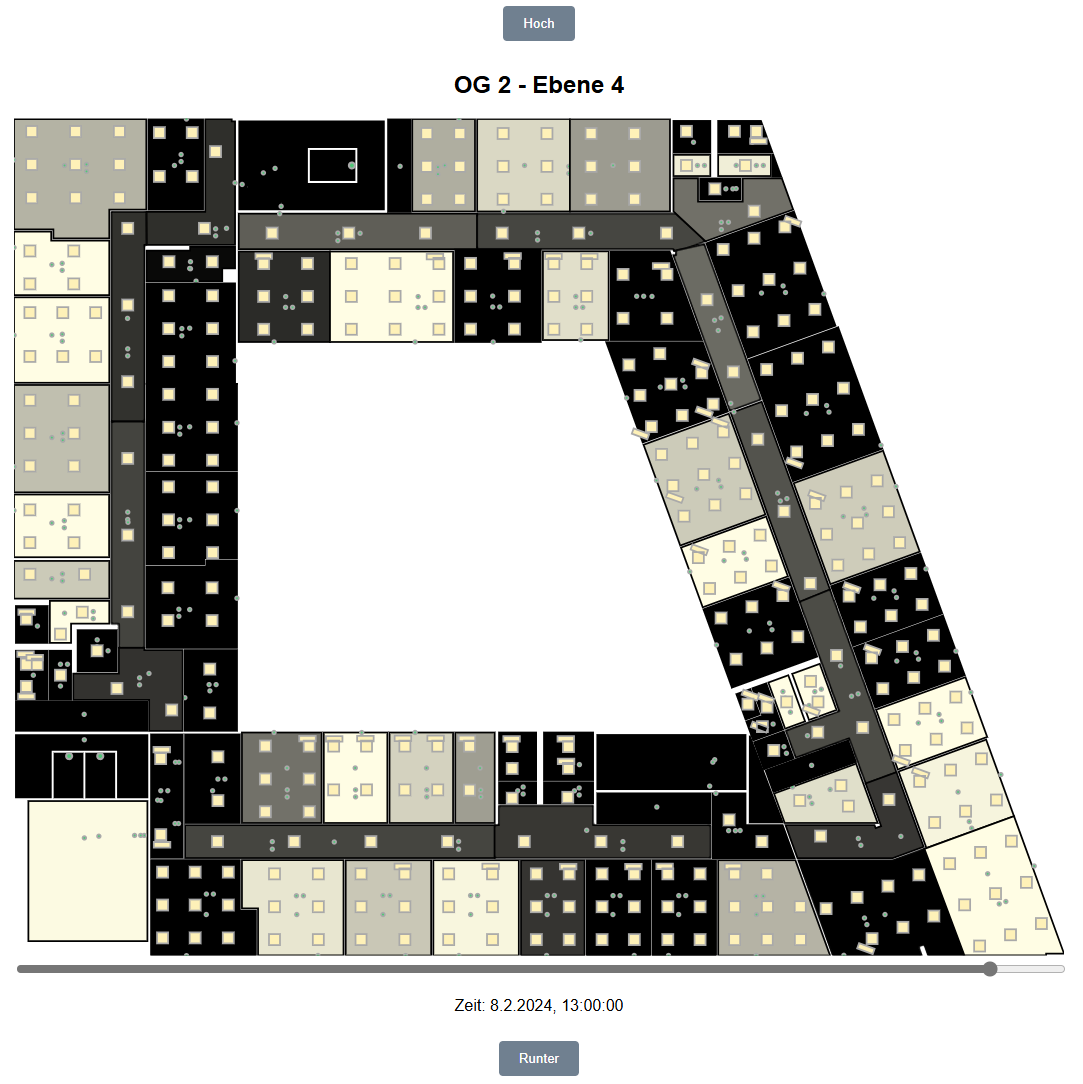
Visualization
The Guard is a digital twin of the KNX building. This allows you to view on a screen from a central location which device is currently doing what and where malfunctions are occurring.
Optimized Building Operations
Problems are not only identified, but also proactively resolved.
Energy Conservation
Targeted recommendations help minimize energy losses.
Improved Quality of Life
An optimal indoor climate enhances occupants' well-being.
Easy Integration
Quick and easy to set up thanks to the ETS project file.
How Temperature Control Works
Sensors, central logic, actuators, heating and cooling technology, and user controls all work together to provide temperature control tailored to your needs.
.png?width=400&height=400&name=using%20(84).png)
.png?width=400&height=400&name=using%20(86).png)
Processes the collected information, takes setpoints into account, and handles the central control and interlocking logic.
.png?width=400&height=400&name=using%20(96).png)
Transmits control commands to the connected systems and serves as the interface between the automation logic and the building automation system.
.png?width=400&height=400&name=using%20(97).png)
Valves, fan coils, or other suitable systems implement the defined control variables and adjust operation to meet current room requirements.
Displays the temperature and set points and allows for manual adjustments right in the room.
Compatible with a variety of actuators and systems
Temperature control is not limited to specific manufacturers or actuators. Depending on the project, various KNX actuators, valve actuators, fan coils, and other suitable heating or cooling systems can be integrated. The key is integration into the central automation logic of onework CORE.
Integrating Temperature Control Seamlessly into the Project
Talk to us about demand-based temperature control, sensor technology, and the project-specific integration of heating, cooling, and other room functions into your KNX-based room automation system.

